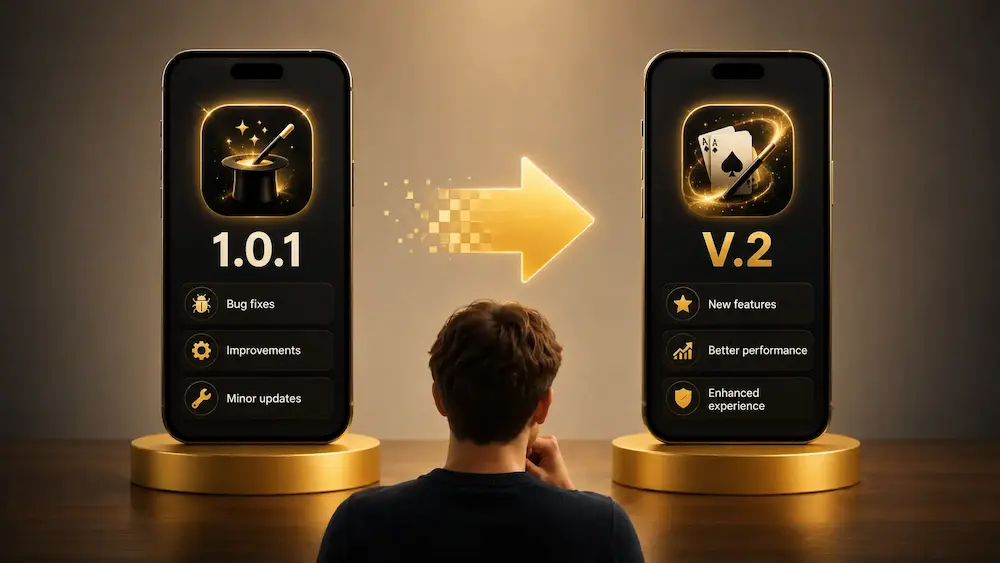
When an app moves from version 1 to version 2, it can feel as though an entirely new product has just been released.
The name of the app may remain the same. Its icon may look almost identical. The magic routine it performs may even rely on the same basic principle.
And yet, the developer decides to replace the number 1 with the number 2.
What does this change really mean? Is version 2 necessarily better? Do you need to buy it again? Is it compatible with older phones? And what is the difference between version 1.1, version 1.5, and a genuine version 2.0?
In software, version numbers are used to identify how a product evolves over time. But contrary to what many people assume, there is no universal rule forcing every developer to use them in exactly the same way.
Moving from version 1 to version 2 may represent a major transformation of the app. It may also be primarily a commercial, visual, or strategic decision.
In the world of magic apps, the situation is even more particular. An app is not only a technical tool. It often forms part of a secret method, a presentation, or a routine that the magician has rehearsed very precisely.
A new version can therefore bring valuable improvements, but it can also change important habits.
Let us take a closer look at what moving from version 1 to version 2 really means.
What Is a Version Number Used For?
A version number identifies the state of a piece of software at a specific point in time.
When an app is released for the first time, the developer may assign it a number such as:
- 1.0;
- 1.0.0;
- 0.9;
- 2026.1;
- or another system of their choice.
The number makes it possible to distinguish that release from previous and future updates.
When a user encounters a problem, they may say, for example:
The bug appears in version 1.4.2 on my iPhone.
This information helps the developer understand which version of the code is installed on the device.
The version number also helps users understand the importance of an update.
A small fix may move an app from version 1.2.1 to version 1.2.2.
A more noticeable improvement may move it from version 1.2 to version 1.3.
A major transformation may justify moving from version 1 to version 2.
However, this remains a convention rather than an absolute rule.
How Do You Read a Number Such as 1.4.2?
Many apps use a version number made up of several parts.
Take the following example:
1.4.2
It can usually be interpreted as follows:
- the first number represents the major version;
- the second number represents an intermediate evolution;
- the third number represents a fix or smaller update.
In this example:
- 1 is the major version;
- 4 indicates the fourth significant evolution within version 1;
- 2 indicates a second fix or revision of that release.
Moving from 1.4.2 to 1.4.3 often represents a minor correction.
Moving from 1.4 to 1.5 may add a feature, improve part of the app, or change its behavior more noticeably.
Moving from 1.9 to 2.0 may indicate a much larger evolution.
But remember: every developer is free to use their own numbering system.
Version 2.0 is not automatically ten times more important than version 1.9.
What Is a Major Version?
The first number in a version number is often called the major version number.
In the following examples:
- 1.0;
- 2.0;
- 3.0;
the numbers 1, 2, and 3 represent different major generations of the product.
A new major version may indicate that the app has changed enough to be considered a new generation.
These changes may affect:
- the design;
- the technology being used;
- the available features;
- compatibility;
- the organization of the app;
- the method behind the routine;
- the way the effect is configured;
- the supported operating systems;
- the business model.
The important word here is may.
A major version usually suggests a significant evolution, but it does not guarantee a specific list of changes.
Version 2 Is Not Simply Version 1 with a Few Fixes
A small update usually corrects or improves an existing product.
Version 2 may go much further.
The developer may decide to rebuild almost the entire app from the beginning.
They may keep the original idea while rebuilding:
- the interface;
- the settings system;
- data storage;
- animations;
- communication with another device;
- offline functionality;
- the payment system;
- the engine used to create the effect.
In some cases, version 2 may share very little code with version 1.
From the user’s point of view, it is still the same app. From the developer’s point of view, it may be almost an entirely new product.
Why Does a Developer Create a Version 2?
There can be many reasons.
To Modernize an App That Has Become Outdated
An app may have been created several years earlier.
Since its release, iOS and Android may have evolved. New screen formats may have appeared. The rules of the App Store and Google Play may have changed.
An app that worked perfectly on an older iPhone may feel outdated on a newer device.
The developer may therefore create version 2 to modernize the entire product.
This may include:
- a new interface;
- better support for modern screens;
- improved dark mode support;
- smoother animations;
- simpler navigation;
- improved accessibility.
To Replace Technology That Has Become Difficult to Maintain
An app may have been built with tools that are no longer suitable.
Over time, the code may become difficult to modify. Each new feature may risk creating bugs elsewhere in the app.
The developer may decide to rebuild the app using more modern technology.
This reconstruction may not always look dramatic to the user. However, it can make the app more stable, faster, and easier to improve in the future.
To Add Features That Cannot Be Integrated Cleanly into Version 1
A first version is often built around a simple idea.
Then users begin requesting new features:
- multiple routines;
- advanced settings;
- synchronization between devices;
- Apple Watch support;
- a remote control;
- an Android version;
- offline use;
- additional languages;
- custom profiles.
At some point, it may become difficult to add all of these features to the original structure.
Version 2 gives the developer an opportunity to rethink the foundations of the product.
To Correct the Limitations of the Original Concept
The first version of an app is rarely perfect.
Certain decisions made at the beginning may prove impractical after several months of real-world use.
Magicians may report that the setup process is too long, that a gesture feels unnatural, or that a secret screen is difficult to use during a performance.
Version 2 can provide an opportunity to correct these issues at a deeper level.
Version 1 Is Often the First Real Encounter with Users
Before its release, an app is tested by the developer and sometimes by a small group of magicians.
But these tests can never fully reproduce real-world use.
After publication, users will operate the app:
- in different environments;
- on different phones;
- with different performance styles;
- in front of different audiences;
- with habits the developer may not have anticipated.
Version 1 therefore reveals whether the idea truly works outside the testing environment.
User feedback can then influence version 2.
A feature that the developer considered essential may turn out to be rarely used.
On the other hand, a small option may become indispensable to many magicians.
Version 2 is sometimes the product the developer would have created from the beginning if they had possessed all of this experience.
Version 2 Can Completely Change the Interface
One of the most visible changes often concerns the design.
Version 1 may use a functional but relatively simple interface.
In version 2, the developer may redesign:
- the home screen;
- the buttons;
- the menus;
- the colors;
- the icons;
- the typography;
- the animations;
- the organization of the settings.
A new interface can make the app much more enjoyable to use.
However, it may also confuse users who are familiar with the old version.
In a traditional app, this change usually requires only a short adjustment period.
In a magic app, the impact may be greater.
A magician may have memorized the exact position of a button. They may be able to change a setting without looking at the screen. They may have incorporated a precise gesture into their presentation.
If version 2 moves the controls, part of the routine may need to be relearned.
Can the Magical Method Change?
Yes, sometimes.
A magic app can produce the same visible effect while using a completely different method.
Imagine an app that reveals a selected card.
In version 1, the magician may need to enter the card secretly through a hidden screen.
In version 2, the information may be sent from:
- an Apple Watch;
- a second phone;
- a Bluetooth remote;
- a secret gesture;
- a web page;
- a remote assistant.
For the spectator, the effect remains the same.
For the magician, the method and presentation possibilities may be completely transformed.
It is therefore important not to look only at the final result.
The value of a new version may lie in a method that is more natural, more discreet, or more reliable.
Is Version 2 Necessarily Better?
Not necessarily.
Version 2 is generally designed to improve the product. However, improvement is not always perceived in the same way by every user.
One magician may prefer version 1 because it is simpler.
Another may prefer version 2 because it offers more settings.
Version 2 may be:
- more complete, but more complicated;
- more modern, but less familiar;
- more powerful, but more demanding on the phone;
- more secure, but less flexible;
- more elegant, but slower to configure.
A newer version does not automatically guarantee a better experience for every user.
A useful question to ask is:
Does version 2 improve the aspects that genuinely matter to the way I perform?
A New Version May Remove Certain Features
Users often assume that a new version will contain everything that existed before, plus additional features.
That is not always the case.
When an app is rebuilt, the developer may decide to remove:
- options that were rarely used;
- features that have become incompatible;
- external services that no longer exist;
- settings considered too complicated;
- methods that have become difficult to maintain;
- support for certain older devices.
A removed feature may seem insignificant to most users while being essential to one specific performer.
Before moving to version 2, it is therefore useful to read the update description and confirm that the features used in your routines are still available.
Compatibility with Older Phones
Version 2 may require a more recent version of iOS or Android.
The developer may use technologies that do not exist on older systems.
They must then choose between two possibilities:
- continue supporting many older devices while limiting certain improvements;
- use modern technologies at the risk of dropping support for older devices.
Suppose version 1 works on an older iPhone.
Version 2 may require a newer operating system and may no longer install on that phone.
This does not necessarily mean the developer is trying to force users to replace their devices. Maintaining compatibility may simply have become too difficult or too expensive.
This issue is especially important for magicians who use an older phone specifically for performances.
A secondary phone may work perfectly for a routine even if it is no longer new.
It is therefore better to check the requirements of version 2 before removing version 1.
What Happens to Version 1 After Version 2 Is Released?
Several scenarios are possible.
Version 1 Is Replaced Directly
The developer releases version 2 as a normal update to the existing app.
The icon remains the same in the App Store or Google Play.
Users install the update and automatically move to the new generation.
In this case, version 1 usually disappears from the store.
Version 1 Remains Available Separately
The developer may release version 2 as a new app.
Version 1 then continues to exist with its own listing in the store.
This allows users to keep the older version.
However, the developer may eventually stop updating it.
Version 1 Is No Longer Sold but Remains Installed
An app that has been removed from sale may continue to work on devices where it is already installed.
However, there is still a risk.
A future iOS or Android update may make the app incompatible.
An online service used by the app may also be shut down.
An installed app is therefore not guaranteed to work forever.
Do You Need to Pay Again for Version 2?
That depends entirely on the developer’s decision and how version 2 is released.
If version 2 directly replaces version 1 within the same store listing, it is usually offered as an update to existing users.
However, if it is published as a separate app, it may require a new purchase.
The developer may also offer:
- a discount for existing customers;
- a transition period;
- a subscription;
- an in-app purchase;
- a paid upgrade;
- free access to only certain features.
Users may sometimes feel that paying a second time is unfair.
But from the developer’s point of view, version 2 may represent several months or even several years of work.
It is therefore important to distinguish between a simple correction and a genuine reconstruction of the product.
An initial purchase does not necessarily mean that every future generation of the app will remain free forever.
However, transparency remains essential.
The developer should clearly explain:
- what is changing;
- what is included;
- what existing customers keep;
- what requires a new purchase;
- whether version 1 will continue to be supported.
Why Are Some Version 2 Apps Released as Separate Applications?
App stores do not always provide a simple system for paid upgrades.
A developer may therefore need to release version 2 separately if they want to sell it as a new product.
They may also want to avoid replacing version 1 abruptly when some users prefer to keep it.
In the world of magic, this decision can make sense.
One magician may prefer to continue using an older method they have completely mastered, while another may want access to the new features.
Two separate apps can sometimes allow both generations to coexist.
Version 2 and Subscriptions
Moving to version 2 may also introduce a new business model.
Version 1 may have been sold as a one-time purchase.
Version 2 may introduce:
- a monthly subscription;
- an annual subscription;
- premium features;
- several access levels;
- a catalog of routines;
- in-app purchases.
This change may be justified by recurring costs.
An app that uses servers, artificial intelligence, online storage, or synchronization services creates ongoing expenses.
However, a subscription should provide ongoing value.
Paying every month for an app that never changes can be difficult to justify.
In a magic app, a subscription may make more sense if the service regularly provides:
- new routines;
- new content;
- new compatible accessories;
- online backup;
- active support;
- frequent improvements.
Moving to Version 2 Can Improve Reliability
An app used during a performance must be reliable.
Version 2 may correct problems that were difficult to solve in version 1:
- slow startup;
- lost settings;
- accessory disconnections;
- notification problems;
- poor support for certain screens;
- crashes when changing orientation;
- excessive battery consumption;
- problems in Airplane Mode.
For a magician, these improvements may be more important than a new design.
An app may look visually impressive but become useless if it closes at the wrong moment.
Stability is often one of the best reasons to move to a new version.
Version 2 Can Improve Discretion
In a traditional app, the interface mainly needs to be practical.
In a magic app, it sometimes needs to be invisible.
The audience should not necessarily realize that the phone is running a special application.
Version 2 may improve:
- the way secret settings are hidden;
- the transition between setup mode and performance mode;
- invisible gestures;
- the appearance of a simulated app;
- emergency outs in case of an error;
- the ability to reset the routine quickly.
These changes are not always visible in the store screenshots.
However, they can completely transform the real-world use of the app.
Version 2 Can Offer More Personalization
The first version of an app may provide a relatively fixed routine.
Version 2 may allow the magician to modify:
- the displayed text;
- the images;
- the sounds;
- the colors;
- the delays;
- the triggering gestures;
- the language;
- the style of revelation;
- the order of the steps;
- the appearance of the final screen.
This level of personalization allows the magician to integrate the app more naturally into their own character and style.
It also prevents every user from presenting exactly the same effect in exactly the same way.
However, more settings also mean more preparation.
A more complete version 2 may require more time before the first performance.
Are the Data from Version 1 Preserved?
This depends on how the update has been designed.
When version 2 directly replaces version 1, the developer may create a migration system.
This system transfers the old data into the new structure.
It may preserve:
- settings;
- custom routines;
- favorites;
- purchases;
- profiles;
- images;
- history.
However, migration can be complex.
If version 2 uses a completely different structure, some data may not be transferable.
When version 2 is a separate app, the data is generally not shared automatically.
The user may need to recreate their settings.
Before a major update, it is wise to check whether the app offers backup or synchronization.
Should You Install Version 2 Immediately Before a Performance?
It is better to be cautious.
Even when a new version appears better, it may change elements that you have already incorporated into your routine.
After installation, you should test:
- the app startup;
- offline mode;
- secret gestures;
- sounds;
- vibrations;
- settings;
- connected accessories;
- the different possible outcomes of the routine.
Installing a major update only a few minutes before a performance is not recommended.
A magic app should be rehearsed like any other prop.
Version 2 may be excellent, but it must first become familiar.
What Is Version 1.5 Compared with Version 2?
Version 1.5 generally remains an evolution of the first generation.
It may add important features while keeping the foundations of version 1.
Version 2 often indicates that the developer considers the app to have crossed a more significant threshold.
Let us take a fictional example.
Version 1.0
The app allows the magician to prepare and display a prediction.
Version 1.2
It adds several display styles.
Version 1.5
It adds support for multiple languages and new settings.
Version 1.8
It adds a simple remote control.
Version 2.0
It is rebuilt with a new interface, works on iPhone and Android, supports a smartwatch, provides several control methods, and allows settings to be synchronized.
In this example, version 2 does not represent only one additional feature. It represents a new generation of the product.
However, another developer might have called the same evolution version 1.9 or version 3.0.
The number remains an editorial choice.
What Do Versions 0.1, 0.5, or 0.9 Mean?
A product does not have to begin directly at version 1.
Some developers use version 0 to indicate that the product is still in development.
For example:
- 0.1 may represent an early experimental release;
- 0.5 may indicate that several features are already available;
- 0.9 may represent a nearly finished version.
Moving to version 1.0 then indicates that the developer considers the product stable and complete enough for an official release.
Again, this convention is not mandatory.
A version 0.9 may be perfectly functional, while version 1.0 may still contain problems.
The Version Number Does Not Directly Measure Quality
It is tempting to assume that version 4 must be better than version 2.
But version numbers cannot be used to compare two different apps.
An app in version 1.2 may be more polished than another app in version 5.0.
The number tells the story of a product, not its absolute quality.
One developer may release a new major version every year.
Another may remain on the same major version for ten years while publishing many improvements.
It is therefore better to look at the actual changes than at the number alone.
A New Major Version May Be Primarily Commercial
Moving to version 2 is not always driven by technology.
It may also be used to generate renewed attention around a product.
A new version can allow the developer to:
- launch a new campaign;
- change the visual identity;
- attract new users;
- generate new articles and videos;
- reposition the price;
- distinguish the old generation from the new one.
This is not necessarily a problem.
Software development is also a commercial activity.
However, users should verify whether the differences genuinely justify the new name or a new purchase.
A worthwhile version 2 should provide a concrete improvement, even if its launch is also used as a marketing event.
How Should You Evaluate Version 2 Before Buying It?
It is useful to look beyond the commercial description.
Ask yourself a few simple questions.
What Are the Real New Features?
Try to identify the exact changes.
A phrase such as “completely redesigned” can mean many different things.
Look for concrete information:
- a new method;
- support for new devices;
- offline functionality;
- a new interface;
- improved stability;
- new routines;
- new control possibilities.
Are My Essential Features Still Available?
Check that version 2 does not remove an option that is important to your presentation.
Is My Device Compatible?
Check the minimum required version of iOS or Android.
Will I Need to Change My Routine?
A new interface or method may require a learning period.
Will the Old Version Continue to Work?
This question is especially important when version 2 is sold separately.
Are User Reviews Positive?
Early reviews may reveal migration, compatibility, or stability problems.
Example: A Magic App Moves from Version 1 to Version 2
Imagine a fictional app called Invisible Prediction.
Invisible Prediction 1
The first version allows the magician to enter a word secretly.
The word then appears on a simulated notes page.
The app works only on iPhone and requires an internet connection to verify the license.
It offers one appearance and one revelation method.
Invisible Prediction 2
The second version works on both iPhone and Android.
It offers several appearances capable of imitating different types of apps.
The magician can prepare the prediction directly on the phone or receive it from a smartwatch.
The app works offline after activation.
It also allows the user to customize the colors, typography, and final animation.
In this example, the move to version 2 is easy to understand.
The basic effect remains the same, but the app has become more flexible, more modern, and better suited to different performance styles.
Possible Advantages of Version 2
Version 2 may provide:
- a more modern interface;
- improved stability;
- more routines;
- better compatibility;
- offline operation;
- more natural secret controls;
- better smartwatch integration;
- deeper personalization;
- reduced battery consumption;
- improved support;
- updates that are easier to produce.
These improvements may fully justify moving to a new generation.
Possible Disadvantages of Version 2
Version 2 may also create:
- a loss of familiar habits;
- incompatibility with older devices;
- the removal of certain features;
- a higher price;
- the introduction of a subscription;
- the need to recreate settings;
- new bugs at launch;
- a more complicated interface;
- the gradual discontinuation of the previous version.
A new major version therefore represents change, not only improvement.
Version 1 or Version 2: Which One Should You Choose?
For a new user, version 2 is usually the most logical choice when it is stable and compatible with the phone.
It normally includes the latest improvements and should receive updates for longer.
For an existing version 1 user, the decision depends more on individual needs.
It may be sensible to remain temporarily on version 1 when:
- it works perfectly;
- the routine is already fully mastered;
- the device is not compatible with version 2;
- an important feature has disappeared;
- a performance is approaching.
It may be worth moving to version 2 when:
- version 1 becomes unstable;
- the new features genuinely improve the routine;
- the developer stops supporting the old version;
- version 2 provides a better method;
- compatibility with newer devices becomes necessary.
There is no need to abandon a tool immediately when it still works well.
In magic, mastery and reliability often matter more than novelty.
Conclusion
Moving from version 1 to version 2 generally indicates that an app is entering a new stage of its development.
It may involve a complete rebuild, a major modernization, the addition of new methods, or a change in the business model.
However, there is no universal rule.
Two developers may use version numbers in very different ways.
Version 2 is therefore not automatically better, more powerful, or essential.
For a magic app, the most important thing is to examine the practical consequences:
- is the routine more reliable?
- is the method more natural?
- does the app work offline?
- are the settings preserved?
- is your phone compatible?
- are the features used in your performances still available?
- will you need to pay again?
- does the new version change your habits?
A major version should be treated as a new tool that must be discovered and rehearsed.
Even when it is based on an app you already know, it may deeply change the way the effect is prepared and presented.
The best choice is not always the version with the highest number.
It is the one that offers the best balance between reliability, simplicity, compatibility, and freedom of presentation.
In both magic and software development, novelty can be exciting. But a perfectly mastered tool is often more valuable than a long list of features you never use.