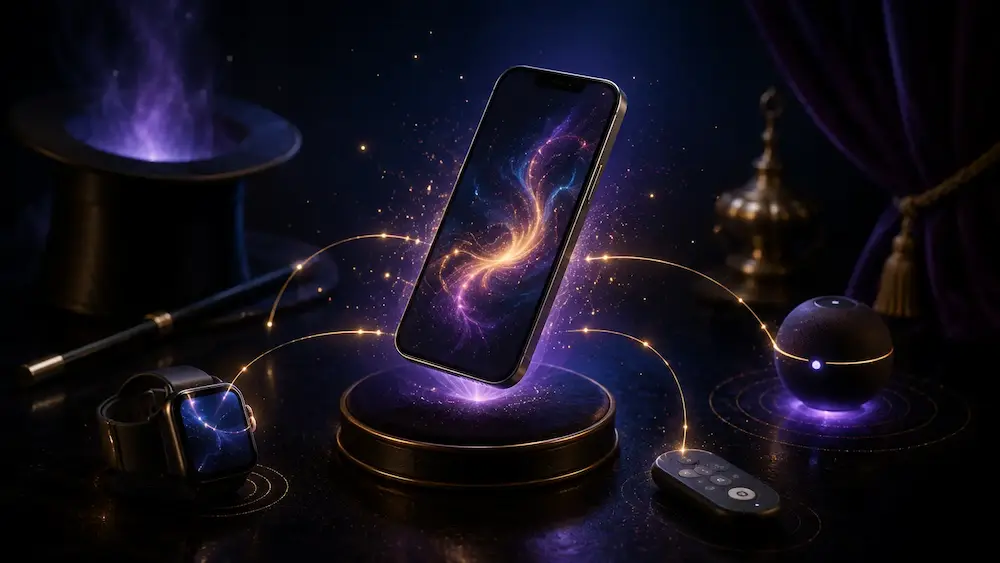
Smartphones now play an important role in modern magic.
They can be used to display a prediction, receive secret information, control a revelation, simulate a familiar app, or communicate with another device.
But some apps go even further. They do not work alone: they are paired with a connected accessory.
This accessory may take the form of a watch, a remote control, a sensor, a gimmicked object, or a device specifically designed to transmit information to the magician.
To the audience, everything can appear perfectly natural.
The phone remains on the table. The magician never touches it. An object is moved, a card is selected, or a spectator performs an apparently free action. A few seconds later, the app displays an impossible revelation.
Behind this effect, there is usually a system made up of several components communicating discreetly with one another.
How do these connected accessories work? Are they genuinely reliable? What is the difference between using an app on its own and using one with an external device? And do you really need to invest in additional hardware to create a strong digital magic routine?
Here is a complete guide to help you understand this new generation of magic tools.
What Is a Connected Accessory in Magic?
A connected accessory is an object capable of communicating with an app, smartphone, or another electronic device.
In everyday life, we already use many connected accessories:
- smartwatches;
- wireless earphones;
- fitness trackers;
- Bluetooth keyboards;
- smart scales;
- motion sensors;
- household devices controlled from a phone.
In magic, the principle is similar.
The accessory sends or receives information that allows a secret action to be triggered.
This information can be extremely simple:
- a button has been pressed;
- an object has been moved;
- a direction has been selected;
- a card has been identified;
- a number has been transmitted;
- a movement has been detected;
- a device needs to display a revelation.
The app then processes the information and produces the expected result.
The accessory does not always create the effect by itself. It often acts as an invisible bridge between the spectator’s action and the final revelation.
Can a Magic App Work Without an Accessory?
Yes.
Many magic apps work entirely on a smartphone.
The magician may control the effect through:
- a secret gesture;
- a fake screen;
- a hidden input system;
- an invisible button;
- a specific sequence;
- a software-based remote control;
- a second phone;
- a web page;
- a smartwatch already owned by the user.
The advantage is obvious: there is no need to purchase or carry extra equipment.
However, some effects become more natural or more powerful when an external accessory is used.
The accessory may allow the magician to avoid touching the phone entirely, receive information remotely, or trigger the effect at exactly the right moment.
It does not necessarily replace the app. It expands what the app can do.
Why Use a Connected Accessory?
The main reason is to make the method more discreet.
When a magician handles a phone immediately before a revelation, the audience may naturally assume that a secret action has taken place.
Even if spectators do not understand exactly what happened, they may suspect that the phone played an active role in the method.
A connected accessory can sometimes remove that suspicion.
The phone can remain:
- on the table;
- in the spectator’s hands;
- locked;
- several metres away;
- visible from the beginning of the routine.
The magician can then trigger the effect without any obvious interaction with the screen.
The accessory can also make the routine more practical.
A discreet remote control can allow the magician to select a revelation quickly without navigating through several menus. A watch can transmit information to the app. A sensor can automatically detect an action performed by the spectator.
The objective is therefore not purely technological.
The real value lies in improving the magical presentation.
How Do the App and Accessory Communicate?
Several technologies can be used.
The right choice depends on the type of accessory, the required distance, power consumption, and the amount of information that needs to be transmitted.
Bluetooth
Bluetooth is one of the most common technologies used to connect an accessory to a smartphone.
It is already used every day for earphones, watches, and wireless keyboards.
In a magic app, Bluetooth can allow an accessory to send a command directly to the phone.
For example, it may:
- trigger a revelation;
- transmit a value;
- select a card;
- make the phone vibrate;
- change what appears on the screen;
- send information to the magician.
Many accessories use a low-power version called Bluetooth Low Energy.
This technology allows the connection to remain active while using relatively little battery power.
Bluetooth offers several advantages:
- it does not necessarily require an internet connection;
- it works over short or medium distances;
- it is available on iPhone and Android;
- it allows fast communication;
- it can work in many different environments.
However, Bluetooth can also create certain limitations.
The accessory must be correctly paired with the phone. The required permissions must be granted. The connection may sometimes be interrupted when the app is closed or when the phone restricts background activity.
The quality of both the accessory and the app therefore plays an essential role.
Wi-Fi
Some systems use a Wi-Fi network to allow several devices to communicate.
The phone and the accessory may be connected to the same local network.
In some cases, one of the devices may create its own Wi-Fi network, which the phone connects to directly.
Wi-Fi can offer useful range and speed. It can also allow several devices to communicate at the same time.
However, it may add complexity.
During a performance in an unfamiliar venue, the magician cannot always rely on a stable network.
The Wi-Fi in a restaurant, theatre, or hotel may be:
- protected by a login portal;
- overloaded;
- slow;
- unstable;
- inaccessible to certain devices.
A system capable of operating through its own local network is generally more reassuring than one that depends entirely on the venue’s Wi-Fi.
Internet Connection
Some apps communicate with an accessory or another phone through the internet.
The information may pass through a remote server before reaching the app.
This method allows communication over very long distances.
An assistant could send information from another room, another city, or even another country.
However, relying on the internet introduces an additional risk.
Poor mobile coverage, an overloaded network, or a server problem may delay or interrupt the routine.
For a professional performance, it is important to know whether an internet connection is essential or merely optional.
A system capable of working locally is usually more reassuring.
NFC
NFC is a very short-range communication technology.
It is commonly used for contactless payments and certain electronic cards.
In a magic routine, a phone can detect an NFC chip placed inside or on an object.
The spectator may bring the phone close to a card, case, accessory, or prepared object.
The app then recognizes the chip and triggers an action.
The extremely short range of NFC can be an advantage because it helps prevent accidental triggers from a distance.
It can also be a limitation because the phone usually needs to be moved close to the object.
Its magical value therefore depends heavily on how that movement is justified.
Accessories That Detect an Action
Not all connected accessories are simple remote controls.
Some contain sensors capable of automatically detecting what is happening.
They may recognize:
- movement;
- tilt;
- rotation;
- pressure;
- the opening of an object;
- the closing of a lid;
- the presence of an item;
- an orientation;
- a vibration;
- physical contact.
The accessory then sends this information to the app.
This automation can create an especially powerful illusion.
The magician appears to control nothing. The app reacts directly to the spectator’s action.
However, the more automatic the system becomes, the more carefully it must be calibrated.
A sensor that is too sensitive may react at the wrong moment. A poorly adjusted sensor may fail to detect the intended action.
A good routine must therefore take the physical reality of the hardware into account.
Smartwatches
The smartwatch is probably one of the most accessible accessories for a magician using apps.
Many users already own an Apple Watch, Android watch, or another compatible model.
A watch can perform several functions.
It can be used to:
- control the app;
- select a value;
- receive secret information;
- discreetly display a result;
- produce a vibration;
- confirm that an action has been transmitted correctly.
The watch has one major advantage: it has become an ordinary everyday object.
The audience will not necessarily see it as a magic prop.
However, its use must remain natural.
Constantly looking at your watch during a routine may create suspicion.
The best system is one that allows discreet, fast, and justified interaction.
Discreet Remote Controls
A connected remote control may contain one or more buttons.
It can be held in a pocket, concealed in the hand, or integrated into another object.
Each button may correspond to a specific action.
For example, the magician may use the buttons to:
- move forward or backward through a list;
- select a colour;
- transmit a number;
- trigger an animation;
- confirm a revelation;
- reset the app.
Simplicity is one of the main advantages of this type of accessory.
A physical button can be easier to use without looking than a touchscreen.
The magician can memorize the position of the controls and operate them entirely by touch.
However, the number of available buttons is limited.
To transmit a larger amount of information, the system may need to use combinations, long presses, or sequences.
This requires practice.
Connected Magic Objects
Some accessories are built directly into objects used during the routine.
This may include, for example, a stand, case, mat, box, tabletop object, or another apparently ordinary item.
The object can detect an action and communicate with the phone.
This approach is particularly interesting when the accessory is naturally justified within the presentation.
The audience may see a normal object without realizing that it contains technology.
The app then becomes part of a larger system.
However, this type of accessory may be more expensive and more difficult to replace than a simple remote control.
Its durability, battery life, and ease of transport should also be considered.
Sensors Worn by the Magician
Some accessories can be worn on the magician’s body.
They may detect a gesture, transmit pressure, or send a discreet command.
The main advantage is that the magician can keep their hands apparently free.
The control can be performed without removing anything from a pocket or looking at a screen.
However, this type of system must be comfortable and reliable.
An accessory that is too bulky, badly positioned, or overly sensitive may become uncomfortable during a long performance.
It must also be easy to activate and deactivate.
The Difference Between Sending and Receiving Information
In a connected system, the accessory may have two main roles.
Sending Information to the App
In this case, the accessory acts as a remote control or sensor.
It tells the app what to do.
Receiving Information from the App
In this case, the accessory secretly informs the magician.
It may produce:
- a vibration;
- a series of pulses;
- a discreet display;
- a hidden light signal;
- a sound transmitted through an earpiece.
Some systems allow communication in both directions.
The accessory sends a command and then receives confirmation.
This confirmation can be extremely useful during a performance.
It allows the magician to know that the information has been transmitted successfully, even when looking at the screen is impossible.
Why Is Haptic Feedback So Useful?
Haptic feedback is a vibration or physical sensation produced by a device.
A watch, phone, or accessory can use vibrations to transmit information discreetly.
The magician does not need to look at a screen.
A simple code may be recognized through:
- the number of vibrations;
- their duration;
- their rhythm;
- the pauses between signals.
This method is particularly discreet.
However, it requires practice.
A code that is too complicated may be difficult to interpret under pressure.
Noise, stress, and the attention required to engage with the audience may reduce the magician’s ability to count vibrations accurately.
The best systems generally use simple information that is easy to recognize.
Compatibility with iPhone
On iPhone, connected accessories must operate within the framework defined by iOS.
The user will often need to allow the app to use Bluetooth, the local network, or notifications.
Depending on how the app has been built, certain forms of communication may be limited when the app is completely closed.
It is therefore important to know whether the app must remain open on the screen or whether it can continue receiving information in the background.
iOS updates can also change certain permissions or behaviors.
An older accessory may remain physically functional but encounter problems with a newer version of the operating system.
Before performing a major iPhone update, a professional magician should therefore verify the compatibility of their essential tools.
Compatibility with Android
Android offers a wide variety of devices.
This diversity is both a strength and a challenge.
Two Android smartphones may use:
- different operating-system versions;
- different interfaces;
- different battery settings;
- different Bluetooth chips;
- different policies for background apps.
Some manufacturers heavily restrict app activity to preserve battery life.
A magic app may then lose its connection when the screen turns off or when the system considers the app inactive.
It may be necessary to manually allow the app to operate in the background.
Developers therefore need to test their accessories across different Android models.
For the user, it is preferable to verify that their specific phone has been tested or that a trial period is available.
Does the Same Accessory Work on iPhone and Android?
Not always.
Some accessories use a standard protocol and can work with both platforms.
Others are designed exclusively for an iPhone app or exclusively for Android.
Even when an accessory is technically compatible with both systems, the available features may differ.
One version may offer:
- more controls;
- better smartwatch integration;
- more stable background operation;
- different notifications;
- an easier connection process.
Before making a purchase, three things should therefore be checked separately:
- app compatibility;
- accessory compatibility;
- compatibility with the specific features you actually want to use.
A simple statement such as “compatible with iPhone and Android” does not necessarily guarantee the same experience on both platforms.
Reliability in Real-World Conditions
A demonstration video is usually filmed under ideal conditions.
The accessory is charged, the phone is configured, and the connection works perfectly.
A real performance can be very different.
The venue may contain many Bluetooth devices. The network may be overloaded. The phone may receive a call. A notification may appear. The accessory may be moved, or its battery may be almost empty.
Reliability therefore depends on more than the quality of the product.
It also depends on the magician’s preparation.
Before a performance, it is useful to check:
- the phone’s battery level;
- the accessory’s battery level;
- the connection status;
- the app’s permissions;
- silent mode;
- notifications;
- offline operation;
- behavior when the screen is locked;
- the actual maximum range.
It is also advisable to test the system under conditions similar to those of the performance.
A stable connection at a distance of fifty centimetres on a desk does not guarantee the same result in a large venue.
Real-World Range
Manufacturers may advertise an impressive theoretical range.
However, the actual range depends on many factors:
- walls;
- human bodies;
- metal objects;
- interference;
- the position of the phone;
- the power of the accessory;
- the battery level;
- the number of other devices nearby.
The human body can interfere with certain signals.
An accessory placed in a pocket may have a different range depending on the magician’s orientation.
It is therefore better to test the required distance personally rather than relying entirely on the advertised figures.
For close-up magic, a few metres may be more than enough.
On stage, the requirements may be much greater.
Latency
Latency is the delay between an action and its consequence.
The magician presses a button, and then the app reacts.
When the reaction is immediate, the system feels natural.
When an unpredictable delay occurs, the rhythm of the routine can be disrupted.
A small but consistent delay can sometimes be incorporated into the presentation.
Variable latency is much more difficult to manage.
The magician may not know whether the command was received or whether it needs to be sent again.
A good system should ideally provide discreet confirmation.
This confirmation may take the form of a vibration or a change visible only to the magician.
Battery Life
A connected accessory cannot operate forever.
It may use:
- a rechargeable battery;
- a coin-cell battery;
- standard batteries;
- an external power supply.
Each solution has its advantages.
A rechargeable battery eliminates the need to buy batteries regularly, but it must be charged before the performance.
A replaceable battery may offer long operating time, but spare batteries should be available.
It is important to know:
- how long the accessory can operate;
- how to check its battery level;
- how long charging takes;
- whether the accessory can be used while charging;
- whether the battery can be replaced.
An extraordinary accessory becomes useless when its battery is empty.
App and Firmware Updates
A connected accessory may contain its own internal software.
This software is generally called firmware.
The developer may release an update to:
- improve the connection;
- fix a problem;
- add a feature;
- reduce power consumption;
- make the accessory compatible with a new phone.
These updates can be extremely useful.
However, they can also introduce new problems.
As with a traditional magic app, it is better not to install a major update immediately before a performance.
After every update, the complete system should be tested:
- the app;
- the accessory;
- the phone;
- any connected watch;
- the full routine.
The Risk of Depending on a Manufacturer
Buying an app already creates a certain level of dependence on the developer.
With a connected accessory, that dependence may be even greater.
If the developer discontinues the app, the accessory may lose much of its usefulness.
It is therefore worth asking:
- does the accessory work without a server?
- can it be used with other apps?
- does the app require a subscription?
- does the manufacturer release regular updates?
- is there a replacement procedure?
- does the product use a proprietary format?
An expensive accessory should ideally remain usable for several years.
The quality of customer support and the stability of the company may therefore be just as important as the technical specifications.
Subscriptions and Hidden Costs
The advertised price of an accessory does not always represent the total cost.
You may also need to pay for:
- the app;
- a subscription;
- additional accessories;
- a compatible smartwatch;
- batteries;
- replacement parts;
- a second phone;
- shipping or import fees.
Some systems also require an active online service.
Before purchasing, it is useful to calculate the complete cost over several years.
An accessory that appears cheaper at first may become more expensive if it requires a permanent subscription.
Conversely, a more expensive product that is entirely self-contained may offer better long-term value.
Does the Accessory Genuinely Improve the Effect?
This is probably the most important question.
Technology can be fascinating.
An object capable of communicating with a phone immediately feels innovative.
However, the final objective is still to create a better magical experience.
A connected accessory is genuinely useful when it provides:
- more natural handling;
- greater distance;
- a stronger revelation;
- a more discreet method;
- greater freedom of presentation;
- better reliability;
- more direct interaction with the spectator.
If it only adds complexity without improving the effect, its value is more limited.
The audience will not be impressed simply because the accessory uses advanced technology.
They will be impressed by what they believe they have witnessed.
Should the Technology Be Visible?
That depends on the type of routine.
In some effects, the smartphone is clearly presented as a technological object.
The magician may explain that an app is analyzing a choice, measuring a reaction, or conducting an experiment.
In that case, the presence of technology is part of the presentation.
In other routines, the objective is to make the audience forget about the app entirely.
The phone may simply display a photo, note, or message.
The connected accessory must then remain invisible.
Both approaches can be effective.
The problem appears when the presentation claims that technology plays no role while the audience strongly suspects the opposite.
It is often more effective to integrate the phone naturally into the story than to over-explain why it is present.
Be Careful of an Effect That Feels “Too Perfect”
A connected system can sometimes produce an extremely direct revelation.
The spectator performs an action, and the phone immediately displays the exact result.
Technically, this is impressive.
Magically, however, it may sometimes feel too obvious.
The audience may simply conclude that one electronic device transmitted information to another.
To avoid this, the construction of the routine remains essential.
The magician can introduce:
- a delay;
- a false lead;
- a justification;
- a multi-stage revelation;
- a human element;
- an additional interaction.
The best technology cannot replace good theatre.
Prepare a Backup Solution
Any electronic system can encounter a problem.
That does not mean it is a bad product.
Even phones, watches, and earphones made by major brands can occasionally lose their connection.
A magician should therefore prepare a backup.
This backup may be:
- another revelation;
- an alternative ending;
- a manual method;
- a transition into another routine;
- a line that explains why nothing happened;
- a discreet restart.
The audience does not know what was supposed to happen.
A failure only becomes visible when the magician shows that something has gone wrong.
The ability to continue naturally is part of good preparation.
Test the Accessory Before Using It in Public
A new accessory should not be used immediately during a professional performance.
First, you need to understand:
- how it connects;
- how it disconnects;
- how it is charged;
- how it reacts at a distance;
- how it works when the phone is locked;
- what happens when a command is sent twice;
- how the system is reset.
It is then useful to rehearse in several situations:
- at home;
- in another room;
- with the phone inside a pocket;
- with several people nearby;
- without an internet connection;
- after turning the equipment off and on again.
These tests allow you to identify the limitations before they become a problem in front of an audience.
The Physical Discretion of the Accessory
An accessory can be technologically discreet but physically difficult to conceal.
You should consider:
- its size;
- its weight;
- its noise;
- the brightness of its indicator lights;
- the strength of its vibrations;
- how easy it is to transport;
- its durability.
An indicator light may be almost invisible in daylight but extremely obvious in a dark room.
A vibration that seems silent in a noisy environment may become audible in a quiet theatre.
The equipment must therefore be tested under the actual conditions of the routine.
Data Protection and Permissions
An app associated with an accessory may request several permissions:
- Bluetooth;
- location;
- local network access;
- notifications;
- microphone;
- camera.
Some permissions are technically necessary.
Others may be used for additional features.
The user should understand why each permission is requested.
A serious app should clearly explain the permissions it needs.
It should also clarify whether information is processed locally or sent to a server.
This is particularly important when the app stores information about spectators, photos, contacts, or personal content.
Do Connected Accessories Make Magic Easier?
They can simplify certain actions, but they do not automatically make the routine easy to perform.
A connected system may eliminate complicated input or transmit information automatically.
In return, the magician must master:
- the hardware preparation;
- the connection;
- the codes;
- the batteries;
- the settings;
- the backup solutions;
- the presentation.
The difficulty is shifted.
It may move from physical handling to technical and theatrical management.
A routine remains convincing only when the magician fully understands and controls the tool.
Are Connected Accessories Suitable for Beginners?
That depends on the product.
A simple accessory with a single button may be accessible to a beginner.
A system using several devices, complex codes, and multiple connections may require more experience.
For a first purchase, it is better to choose a product that is:
- easy to configure;
- well documented;
- capable of working offline;
- supported by tutorials;
- backed by active customer support;
- based on a method that is easy to remember.
It is better to master one function perfectly than to own a highly advanced system and use only a small part of it.
How Should You Choose an App with a Connected Accessory?
Before purchasing, it is useful to ask several questions.
Does the Effect Match Your Style?
An excellent product may not suit the way you perform.
Is the Accessory Essential?
Some apps provide several control methods.
It may be possible to begin without the accessory and add one later.
Does It Work Offline?
This information is essential for performances in places where the connection may be unreliable.
Is Your Phone Compatible?
You should verify the phone model, operating-system version, and available features.
What Is the Battery Life?
The accessory must be able to operate throughout your entire performance.
Is There a Confirmation Signal?
A vibration or discreet signal can tell you that the command was received successfully.
Can the System Be Reset Quickly?
In close-up magic, you may need to perform for several groups in succession.
Is the App Updated Regularly?
An abandoned app may become incompatible with future operating systems.
Does the Price Include Everything You Need?
Check for subscriptions, optional accessories, and any additional costs.
Advantages of Apps with Connected Accessories
These systems can provide:
- remote control;
- greater discretion;
- high precision;
- automatic reactions;
- a phone that can remain in the spectator’s hands;
- more natural methods;
- secret communication;
- smartwatch integration;
- possibilities that are impossible with a standalone app.
They can transform a simple application into a complete performance system.
Limitations and Disadvantages
They may also involve:
- a higher cost;
- longer preparation;
- dependence on batteries;
- the risk of disconnection;
- limited compatibility;
- dependence on the manufacturer;
- a learning curve;
- more equipment to carry;
- the need to test the entire system regularly.
These limitations do not make connected accessories bad.
They simply need to be considered before integrating them into a professional routine.
Standalone App or Connected System: Which Should You Choose?
A standalone app may be ideal when:
- the routine is simple;
- the magician can naturally touch the phone;
- the budget is limited;
- portability is the priority;
- no external communication is required.
A connected accessory becomes useful when:
- the phone needs to remain at a distance;
- the spectator needs to hold the device;
- information must be transmitted secretly;
- precise triggering is required;
- a watch or sensor improves the method;
- automation genuinely strengthens the effect.
The choice should always begin with the routine, not the technology.
Conclusion
Magic apps combined with connected accessories represent one of the most interesting developments in digital magic.
They make it possible to create systems in which a phone, watch, remote control, sensor, or apparently ordinary object communicates invisibly.
This communication can offer the magician greater freedom, discretion, and precision.
However, it also introduces new responsibilities.
The magician must understand the equipment, check the batteries, manage the connections, and prepare a solution in case something goes wrong.
A connected accessory is not automatically better than a standalone app.
It becomes genuinely valuable when it improves the routine, simplifies the method, or makes the experience feel more impossible to the audience.
Before purchasing a system, look beyond the technological demonstration.
Ask whether the accessory is suitable for your phone, your performance environment, and your style of magic.
Check its battery life, compatibility, dependence on the internet, and the quality of the support provided.
The most impressive technology is not necessarily the one that uses the largest number of devices.
It is the technology that disappears completely at the moment of performance.
When the audience forgets about the phone, the app, and the accessory, only the magic remains.