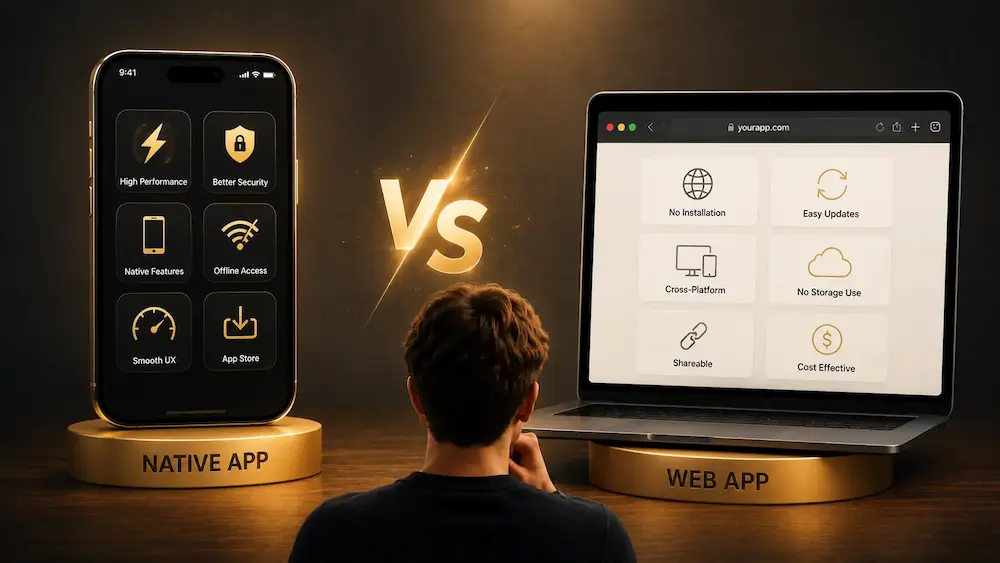
When discovering a magic app, we do not always wonder how it was built. We download it, open it, and simply check whether it can create the effect we are looking for.
However, behind an interface that may appear very simple, two main technologies can be used: native apps and web apps.
They can look almost identical. They can offer the same routines, use the camera, display a prediction, or imitate a familiar application. Yet the way they work, how they are installed, their performance, and their level of integration with the phone can be very different.
This distinction is particularly important in the world of magic apps. An app used during a performance often needs to be fast, discreet, reliable, and capable of working in unpredictable conditions: poor internet access, low light, a locked phone, or spectators standing very close to the screen.
So, what is the real difference between a native app and a web app? What are their advantages on iPhone and Android? And most importantly, which one is better suited to a magic app?
What Is a Native App?
A native app is an application developed specifically for an operating system.
A native app designed for the iPhone is built for iOS. It is usually downloaded from Apple’s App Store.
A native app designed for Android smartphones is built for Android. It is generally distributed through Google Play, although Android also allows other installation methods.
The app is installed directly on the phone. A significant part of its operation therefore relies on files stored locally on the device.
On iPhone, native apps are mainly developed using technologies provided by Apple, including Swift, SwiftUI, and UIKit.
On Android, they can be developed using Kotlin, Java, or tools provided by Google.
There are also cross-platform technologies that can produce apps for both iPhone and Android from a shared codebase. Even in that case, the end user still installs a real application on the phone.
For the user, the experience therefore remains close to that of a traditional native app.
What Is a Web App?
A web app is an application accessed through an internet browser.
Instead of downloading the app from the App Store or Google Play, the user opens a web address in Safari, Chrome, Firefox, or another compatible browser.
A web app may look like a website, but it is usually more interactive. It can include buttons, animations, forms, personal accounts, and features commonly associated with mobile applications.
Some web apps can also be added to the phone’s Home Screen.
They then appear as an icon, just like a traditional app. When opened, the interface may occupy the entire screen and hide most of the browser.
This type of application is often called a Progressive Web App, or PWA.
A PWA is a web app designed to provide an experience closer to that of an installed application. Depending on how it is built and what the phone allows, it may work offline, send notifications, or store certain data locally.
However, even when it closely resembles a native app, a web app still operates mainly through web technologies.
The Simplest Way to Understand the Difference
The main difference can be summarized as follows:
A native app is installed on the phone and integrated into its operating system. A web app runs through a browser or web engine.
This distinction influences almost everything else:
- performance;
- the installation process;
- the available features;
- access to the phone’s hardware;
- how updates are managed;
- offline functionality;
- distribution through app stores;
- the cost and complexity of development.
For the user, this difference is not always immediately visible.
A well-designed web app can feel like a genuine native application. Conversely, some apps downloaded from an app store mainly display web content inside a native wrapper.
The boundary between these technologies can therefore be less obvious than it used to be.
Installation on iPhone and Android
Installing a Native App
On iPhone, the user usually searches for the app in the App Store, taps the download button, and confirms the installation using Face ID, Touch ID, or a password.
Once installed, the app appears on the Home Screen or in the App Library.
On Android, the process is similar through Google Play. The user downloads the app, and it then appears in the app launcher.
Native installation offers one important advantage: most users immediately understand how it works.
People are already familiar with the process. An app available on the App Store or Google Play may also inspire more confidence because it appears to belong to the phone’s official ecosystem.
Installing a Web App
A web app does not necessarily need to be installed.
The user can simply open a link in a browser. This makes access extremely easy: there is no need to search an app store, download anything, or wait for an installation.
To add the web app to the Home Screen, the user generally needs to open the browser menu and select an option such as “Add to Home Screen.”
This step is often less obvious, especially on iPhone. Many users do not realize that a website or web app can be turned into an icon on their Home Screen.
A web app can therefore be faster to discover, but sometimes less intuitive to install permanently.
Performance
Native apps generally benefit from better integration with the phone’s operating system.
Animations can be smoother, transitions more natural, and interactions more responsive. Developers can directly use graphical components and tools optimized by Apple or Google.
This difference can be important when an app uses:
- complex animations;
- video processing;
- augmented reality;
- image recognition;
- intensive calculations;
- synchronized sound effects;
- highly precise interactions.
A modern web app can still be extremely fast. For traditional interfaces, searches, lists, forms, text predictions, or simple routines, the performance difference may be almost invisible.
The final result often depends more on the quality of the development than on the technology itself.
A well-built web app can be more enjoyable to use than a poorly optimized native app.
However, when an application needs to make intensive use of the phone’s capabilities, native development generally retains an advantage.
Working Without an Internet Connection
Offline functionality is particularly important for magicians.
A performance may take place in a restaurant with poor reception, in a basement venue, at an event where the network is overloaded, or in a country where internet access is limited.
A native app can store its images, sounds, settings, and much of its functionality directly on the phone.
It can therefore be designed to work entirely without an internet connection.
A traditional web app often depends on the internet to load its pages, images, or data.
However, a PWA can store certain files on the phone and continue working offline. It can also temporarily save information and synchronize it later.
The difference is therefore not as absolute as it may first appear.
A web app can work without the internet, but this must be planned from the beginning. Its behavior must also be carefully tested when the connection suddenly disappears.
For a magic app used on stage, a single loading error may be enough to compromise the entire routine.
Offline mode should therefore never be treated as a minor detail.
Access to the Phone’s Features
A native app can generally communicate more directly with the phone’s hardware and system features.
Depending on the permissions granted by the user, it may access:
- the camera;
- the microphone;
- Bluetooth;
- GPS;
- contacts;
- photos;
- files;
- motion sensors;
- vibrations;
- notifications;
- biometric features;
- system shortcuts;
- interactions with other devices.
A web app can also access several of these features, including the camera, microphone, and location.
However, the available options may vary depending on the browser and operating system. A feature available in Chrome on Android may be more limited in Safari on iPhone, or it may work differently.
Native apps therefore usually provide deeper and more predictable integration.
For a magic app, this difference can become essential.
A routine may depend on a phone gesture, a precise orientation, discreet haptic feedback, a secret notification, or Bluetooth communication with another device.
The more a routine depends on the phone’s hardware, the more attractive native development becomes.
The Differences Between iPhone and Android
Choosing between a native app and a web app does not have exactly the same consequences on iPhone and Android.
On iPhone
Apple tightly controls the user experience, permissions, and application distribution.
A native iOS app can integrate deeply with the iPhone and take advantage of many Apple technologies.
The App Store is also the most familiar installation method for iPhone users.
Web apps run in Safari and can be added to the Home Screen. Over time, they have become more capable and more similar to traditional applications.
However, certain advanced features may still be easier or more reliable to implement in a native app.
For a magic app mainly intended for iPhone users, native development can offer an excellent level of polish.
It allows the interface to be adapted precisely to iOS conventions, including gestures, menus, animations, typography, and screen behavior.
On Android
Android is generally more flexible when it comes to browsers, installation methods, and access to certain features.
Users can install apps from Google Play, but also through other methods when necessary.
Web apps and PWAs can also integrate very well with Android, especially when used with a compatible browser.
However, there can be more variation between devices.
Not all Android phones use the same version of the operating system, the same screen size, or the same hardware performance.
An application therefore needs to be tested on multiple models.
This diversity can make development more complex for both native apps and web apps.
Updates
Native apps and web apps use very different update processes.
Updating a Native App
When a developer modifies a native app, they generally need to prepare a new version, submit it to the app store, wait for approval, and then make it available for download.
The user may then install the update automatically or manually.
This means that several versions of the app may be in use at the same time.
Some users update their apps immediately. Others continue using an older version for several weeks or months.
The developer may therefore need to maintain compatibility with multiple versions.
Updating a Web App
A web app can be updated directly on the server.
The next time the user opens the app, they will generally access the latest version.
This makes it possible to correct an error, change an interface, or add a feature without waiting for app-store approval.
For the developer, this flexibility is extremely useful.
It also makes it easier to test different layouts or evolve the product more quickly.
For a magic app, however, this speed can create a risk. A change made shortly before a performance could alter behavior that the magician had already learned.
A good web app should therefore avoid unpredictable changes and maintain a stable experience.
Distribution on the App Store and Google Play
A native app can be distributed through the App Store and Google Play.
Being listed in these stores offers several advantages:
- greater visibility;
- a familiar installation process;
- the ability to receive ratings and reviews;
- a more professional image;
- access to integrated payment systems;
- greater trust from some users.
However, publishing in an app store also comes with rules.
Apple and Google can control the app’s content, features, payment systems, and privacy practices.
The review process may take time. An update may be rejected. Certain features may need to be changed in order to comply with store policies.
A web app largely avoids this process.
The developer publishes the app on their own server and can make it available immediately.
In return, the web app receives less visibility through traditional app stores.
The user needs to know its address or discover it through a link, search engine, advertisement, article, or recommendation.
Development Costs
The cost depends heavily on the project, but a web app is often easier to deploy across multiple devices.
A single web application may work on:
- an iPhone;
- an Android smartphone;
- an iPad;
- an Android tablet;
- a Mac;
- a Windows computer.
The developer can share a large portion of the code across all these platforms.
For a small team or independent creator, this can represent a significant saving.
Native development can require more work, especially when separate iOS and Android applications need to be created.
The code, interface, and testing process may need to be adapted for each system.
Cross-platform tools can reduce this difference, but they do not always eliminate all the complexity.
Native development may therefore be more expensive, but it can also provide a more precise experience and deeper integration.
Interface and User Experience
A native app can follow the exact conventions of its operating system.
On iPhone, the menus, buttons, gestures, and animations can resemble those found in other iOS applications.
On Android, the app can use the visual components and behaviors that Android users expect.
This consistency often improves the overall feeling of quality.
A web app must work across several browsers and screen sizes.
It can still offer an elegant interface, but it may need to use a more universal presentation in order to remain compatible with all devices.
This does not mean that a web app must be less attractive.
Many well-known services use web technologies to create modern, fluid, and enjoyable interfaces.
The difference is often found in smaller details: keyboard behavior, navigation gestures, transitions, contextual menus, or how the app reacts when the screen orientation changes.
Notifications
Notifications have become an important feature of many applications.
A native app can send notifications to inform the user about new content, a message, or an event.
In magic, notifications can also form part of a secret method: receiving information, confirming a choice, or discreetly transmitting data.
Web apps can also provide notifications in certain situations.
However, their availability and behavior may depend on the browser, the operating system, and the way the web app was added to the phone.
For a routine that directly relies on a notification, a native app may offer greater control.
For a simple marketing alert or non-essential information, a web app may be perfectly sufficient.
Privacy and Security
Both native apps and web apps can be secure or insecure.
The technology alone does not guarantee that data will be protected.
A serious application should explain what information is collected, why it is used, and how it is protected.
Native apps must request permission before accessing certain sensitive phone features.
Web apps must also request permission when they want to use the camera, microphone, or location.
In both cases, the user should remain cautious.
It is better to avoid applications that request permissions unrelated to their actual purpose.
A simple text-prediction app probably does not need permanent access to the user’s location, contacts, and microphone.
For magicians, privacy also concerns the method.
An app may contain secret settings, information about routines, or data that could reveal how the effect works.
The developer should therefore avoid exposing these elements unnecessarily.
Similarities Between Native Apps and Web Apps
Despite their technical differences, native apps and web apps share many similarities.
They can both offer:
- a user account;
- a subscription;
- videos;
- images;
- animations;
- forms;
- search functionality;
- a catalog;
- favorites;
- personalized settings;
- a members’ area;
- online synchronization;
- an interface adapted to mobile devices.
In many cases, the user may struggle to identify which technology is being used.
A web app displayed in full-screen mode can look almost identical to an application downloaded from an app store.
A native app can also display certain web pages inside its own interface.
The technological choice is therefore not always visible, and it does not automatically determine the quality of the product.
What really matters is reliability, usability, and whether the application is suited to its intended purpose.
Hybrid Apps
Between native apps and web apps, there are also hybrid solutions.
A hybrid app may use web technologies to build a large portion of its interface while still being installed like a traditional application.
It can be published on the App Store or Google Play and access certain native features through additional components.
This approach allows developers to share more code between iPhone and Android.
It can reduce costs and speed up development.
However, the quality depends heavily on the technology used and how well the app has been optimized.
A well-built hybrid app can be smooth and almost impossible to distinguish from a fully native application.
A poorly designed hybrid app may feel slow, display unnatural transitions, or encounter problems on certain devices.
Which Option Is Best for a Magic App?
The best choice depends on the routine.
A Native App Is Particularly Suitable When:
- the routine must work without the internet;
- the performance requires extremely fast responses;
- the app uses Bluetooth;
- it relies on the phone’s sensors;
- it makes intensive use of the camera;
- it needs to work in the background;
- it communicates with a watch or another device;
- it uses precise vibrations or haptic feedback;
- it needs to look exactly like an iPhone or Android application;
- reliability during a performance is the highest priority.
A Web App Is Particularly Suitable When:
- the user needs quick access through a link;
- no installation should be required;
- the app mainly uses text and images;
- the developer wants to update the content quickly;
- the tool needs to work across many devices;
- the project has a more limited budget;
- the app serves as a catalog, generator, or members’ area;
- an internet connection is acceptable;
- distribution through the App Store or Google Play is not essential.
A web app can also be a useful way to test an idea before developing a more complex native application.
The creator can determine whether the concept attracts users, collect feedback, and improve the routine before making a larger investment.
A Practical Example: A Prediction App
Imagine an application that allows a magician to prepare a prediction that will later be revealed on a phone screen.
This routine could work perfectly well as a web app.
The magician opens a link, enters the prediction, and then displays a prepared page. The required technology remains relatively simple.
Now imagine that the prediction is secretly transmitted from a smartwatch, triggered by a movement of the phone, and accompanied by a vibration that the audience cannot detect.
In that situation, a native app would probably be more suitable.
It would offer greater control over the hardware, interactions, and system events.
The effect may look similar to the spectator, but the technical requirements are completely different.
Is a Native App Always Better?
No.
A native app is not automatically better simply because it is available on the App Store or Google Play.
It may be poorly designed, slow, complicated to use, or rarely updated.
A web app, on the other hand, may be fast, elegant, reliable, and perfectly suited to its purpose.
When evaluating a magic app, it is more useful to ask the following questions:
- Is the app easy to use?
- Does it work correctly during a performance?
- Can it be used without an internet connection?
- Is the interface discreet and natural?
- Does the developer regularly provide updates?
- Are the requested permissions justified?
- Does the method genuinely suit your style of magic?
- Is the app compatible with your phone?
Technology is important, but it represents only one part of the overall experience.
Can a Web App Replace a Native App?
In some cases, yes.
For a catalog, learning tool, text generator, database, members’ area, or relatively simple routine, a web app can completely replace a native application.
It may even be more convenient because it can work immediately across several devices.
In other situations, no.
A complex routine requiring deep access to the phone, background execution, or communication with accessories will generally be more difficult to create as a web app.
The question is therefore not which technology is universally better.
The real question is: which technology best meets the needs of the application?
How Can You Tell Whether an App Is Native or Web-Based?
It is not always possible to tell immediately.
However, a few clues may help.
An application opened directly from a web address is probably a web app.
An application downloaded from the App Store or Google Play is an installed app, but it may be native, hybrid, or heavily based on web content.
A web app added to the Home Screen can look like a traditional application.
It may have its own icon and open in full-screen mode.
Offline behavior may also offer a clue. If the application completely stops working as soon as the connection disappears, it probably relies heavily on a web service. However, some native apps also require internet access.
In most cases, the user does not need to know exactly which technology is being used.
The most important thing is to determine whether the application meets their needs.
Conclusion
Native apps and web apps can provide very similar experiences, but they are built using different approaches.
A native app is installed on the phone and designed to integrate deeply with iOS or Android. It generally offers better performance, more complete access to the hardware, and more reliable offline functionality.
A web app mainly operates through a browser. It is easy to share, quick to update, and compatible with many devices. It can also be added to the Home Screen and provide an experience close to that of a traditional application.
On both iPhone and Android, either technology can be used to create excellent magic apps.
The right choice depends on the routine, the required features, and the conditions in which the application will be used.
For a professional performance, reliability remains the most important criterion.
An application may look impressive in a demonstration, but if it cannot work without the internet or becomes unstable on certain phones, it may be risky to use in a real performance.
Conversely, a simple and well-mastered web app can become an extremely powerful magic tool.
Before purchasing or using an app, do not only ask whether it is native or web-based.
Above all, ask whether it works correctly on your device, whether it suits your performance style, and whether you can trust it when the audience is watching.
Lorsque l’on découvre une application de magie, on ne se demande pas toujours comment elle a été conçue. On la télécharge, on l’ouvre et on vérifie simplement si elle permet de créer l’effet attendu.
Pourtant, derrière une interface qui semble parfois très simple, deux technologies principales peuvent être utilisées : l’application native et la web app.
Elles peuvent avoir une apparence presque identique. Elles peuvent proposer les mêmes routines, utiliser la caméra, afficher une prédiction ou simuler une application connue. Mais leur fonctionnement, leur installation, leurs performances et leur niveau d’intégration avec le téléphone peuvent être très différents.
Cette distinction est particulièrement importante dans le domaine des applications de magie. Une application utilisée pendant une performance doit souvent être rapide, discrète, fiable et capable de fonctionner dans des conditions imprévisibles : mauvaise connexion, faible luminosité, téléphone verrouillé ou public très proche de l’écran.
Alors, quelle est réellement la différence entre une application native et une web app ? Quels sont leurs avantages sur iPhone et Android ? Et surtout, laquelle est la plus adaptée à une application de magie ?
Qu’est-ce qu’une application native ?
Une application native est une application développée spécifiquement pour un système d’exploitation.
Une application native destinée à l’iPhone est conçue pour iOS. Elle est généralement téléchargée depuis l’App Store d’Apple.
Une application native destinée aux smartphones Android est conçue pour Android. Elle est généralement distribuée sur Google Play, même si Android permet également d’autres modes d’installation.
L’application est installée directement sur le téléphone. Une partie importante de son fonctionnement repose donc sur des fichiers présents localement dans l’appareil.
Sur iPhone, les applications natives sont principalement développées avec les technologies fournies par Apple, notamment Swift, SwiftUI ou UIKit.
Sur Android, elles peuvent être développées avec Kotlin, Java ou les outils proposés par Google.
Il existe également des technologies multiplateformes capables de produire une application pour iPhone et Android à partir d’une base de code commune. Même dans ce cas, l’utilisateur final installe une véritable application sur son téléphone.
Pour lui, l’expérience reste donc proche de celle d’une application native classique.
Qu’est-ce qu’une web app ?
Une web app est une application accessible à travers un navigateur internet.
Au lieu de télécharger l’application depuis l’App Store ou Google Play, l’utilisateur ouvre une adresse web dans Safari, Chrome, Firefox ou un autre navigateur compatible.
Une web app peut ressembler à un site internet, mais elle est généralement plus interactive. Elle peut contenir des boutons, des animations, des formulaires, un espace personnel ou des fonctionnalités habituellement associées aux applications mobiles.
Certaines web apps peuvent aussi être ajoutées à l’écran d’accueil du téléphone.
Elles apparaissent alors sous la forme d’une icône, comme une application traditionnelle. Lorsqu’on les ouvre, l’interface peut occuper tout l’écran et masquer une grande partie du navigateur.
On parle souvent dans ce cas de Progressive Web App, ou PWA.
Une PWA est une web app conçue pour se rapprocher davantage de l’expérience d’une application installée. Elle peut, selon sa conception et les possibilités du téléphone, proposer un fonctionnement hors ligne, envoyer des notifications ou conserver certaines données localement.
Cependant, même lorsqu’elle ressemble fortement à une application native, une web app continue de fonctionner principalement grâce à des technologies web.
La différence la plus simple à comprendre
La différence principale peut être résumée ainsi :
Une application native est installée et intégrée au système du téléphone. Une web app est exécutée à travers un navigateur ou un moteur web.
Cette distinction influence presque tout le reste :
- les performances ;
- la manière d’installer l’application ;
- les fonctionnalités disponibles ;
- l’accès aux composants du téléphone ;
- la gestion des mises à jour ;
- le fonctionnement hors ligne ;
- la publication sur les boutiques ;
- le coût et la complexité du développement.
Pour l’utilisateur, cette différence n’est pas toujours immédiatement visible.
Une web app très bien conçue peut donner l’impression d’être une véritable application native. À l’inverse, certaines applications téléchargées depuis une boutique utilisent principalement du contenu web à l’intérieur d’une enveloppe native.
La frontière entre les deux technologies peut donc parfois sembler moins évidente qu’elle ne l’était auparavant.
L’installation sur iPhone et Android
Installation d’une application native
Sur iPhone, l’utilisateur recherche généralement l’application dans l’App Store, appuie sur le bouton de téléchargement, puis confirme l’installation avec Face ID, Touch ID ou son mot de passe.
Une fois installée, l’application apparaît sur l’écran d’accueil ou dans la bibliothèque d’applications.
Sur Android, le fonctionnement est similaire avec Google Play. L’utilisateur télécharge l’application, puis celle-ci apparaît dans son lanceur d’applications.
L’installation native offre un avantage important : elle est immédiatement comprise par la majorité des utilisateurs.
Le public connaît déjà ce processus. Une application présente sur l’App Store ou Google Play peut également inspirer davantage confiance, car elle semble appartenir à l’écosystème officiel du téléphone.
Installation d’une web app
Une web app ne nécessite pas forcément d’installation.
L’utilisateur peut simplement ouvrir un lien dans son navigateur. Cela facilite énormément l’accès : aucune recherche dans une boutique, aucun téléchargement et aucune attente.
Pour ajouter la web app à l’écran d’accueil, il faut généralement passer par le menu du navigateur et sélectionner une option comme « Ajouter à l’écran d’accueil ».
Cette étape est souvent moins évidente, notamment sur iPhone. Beaucoup d’utilisateurs ignorent qu’un site ou une web app peut être transformé en icône sur l’écran d’accueil.
La web app peut donc être plus rapide à découvrir, mais parfois moins intuitive à installer durablement.
Les performances
Les applications natives bénéficient généralement d’une meilleure intégration avec le système du téléphone.
Les animations peuvent être plus fluides, les transitions plus naturelles et les interactions plus réactives. Le développeur peut utiliser directement les composants graphiques et les outils optimisés par Apple ou Google.
Cette différence peut être importante lorsqu’une application utilise :
- des animations complexes ;
- du traitement vidéo ;
- de la réalité augmentée ;
- de la reconnaissance d’image ;
- des calculs intensifs ;
- des effets sonores synchronisés ;
- des interactions très précises.
Une web app moderne peut néanmoins être extrêmement rapide. Pour des interfaces classiques, des recherches, des listes, des formulaires, des prédictions textuelles ou des routines simples, la différence de performance peut être presque invisible.
Le résultat dépend davantage de la qualité du développement que de la technologie utilisée.
Une bonne web app peut être plus agréable qu’une application native mal optimisée.
Cependant, lorsqu’une application doit exploiter intensivement les capacités du téléphone, l’application native conserve généralement un avantage.
Le fonctionnement sans connexion internet
Le fonctionnement hors ligne est particulièrement important pour les magiciens.
Une performance peut avoir lieu dans un restaurant avec une mauvaise connexion, dans une salle située en sous-sol, pendant un événement où le réseau est saturé ou dans un pays où l’accès à internet est limité.
Une application native peut stocker localement ses images, ses sons, ses réglages et une grande partie de ses fonctionnalités.
Elle peut donc être conçue pour fonctionner intégralement sans connexion.
Une web app classique dépend souvent d’internet pour charger ses pages, ses images ou ses données.
Cependant, une PWA peut conserver certains fichiers sur le téléphone et continuer à fonctionner hors ligne. Elle peut également enregistrer temporairement des informations et les synchroniser plus tard.
La différence est donc moins absolue qu’elle ne semble.
Une web app peut fonctionner sans internet, mais cela doit être prévu dès sa conception. Il est également nécessaire de tester soigneusement son comportement lorsque la connexion disparaît brusquement.
Pour une application de magie utilisée sur scène, une simple erreur de chargement peut suffire à compromettre toute la routine.
Le mode hors ligne ne doit donc pas être considéré comme un détail.
L’accès aux fonctionnalités du téléphone
Une application native peut généralement communiquer plus directement avec les composants du téléphone.
Elle peut exploiter, selon les autorisations accordées par l’utilisateur :
- la caméra ;
- le microphone ;
- le Bluetooth ;
- le GPS ;
- les contacts ;
- les photos ;
- les fichiers ;
- les capteurs de mouvement ;
- les vibrations ;
- les notifications ;
- les fonctions biométriques ;
- les raccourcis du système ;
- les interactions avec d’autres appareils.
Une web app peut également accéder à plusieurs de ces fonctionnalités, notamment la caméra, le microphone ou la localisation.
Cependant, les possibilités varient selon le navigateur et le système d’exploitation. Une fonctionnalité disponible dans Chrome sur Android peut être plus limitée dans Safari sur iPhone, ou fonctionner différemment.
Les applications natives offrent donc généralement une intégration plus profonde et plus prévisible.
Dans une application de magie, cette différence peut devenir essentielle.
Une routine peut dépendre d’un geste du téléphone, d’une orientation précise, d’un retour haptique discret, d’une notification secrète ou d’une communication Bluetooth avec un autre appareil.
Plus la routine utilise le matériel du téléphone, plus le développement natif devient intéressant.
Les différences entre iPhone et Android
Le choix entre une application native et une web app ne produit pas exactement les mêmes conséquences sur iPhone et Android.
Sur iPhone
Apple contrôle fortement l’expérience utilisateur, les autorisations et la distribution des applications.
Une application native iOS peut s’intégrer profondément à l’iPhone et profiter de nombreuses technologies Apple.
L’App Store représente également le moyen d’installation le plus familier pour les utilisateurs.
Les web apps fonctionnent dans Safari et peuvent être ajoutées à l’écran d’accueil. Elles sont devenues plus performantes et plus proches des applications traditionnelles au fil du temps.
Cependant, certaines fonctionnalités avancées peuvent rester plus simples ou plus fiables dans une application native.
Pour une application de magie destinée principalement aux utilisateurs d’iPhone, le développement natif offre souvent un excellent niveau de finition.
Il permet notamment d’adapter précisément l’interface aux habitudes d’iOS : gestes, menus, animations, typographie et comportement des écrans.
Sur Android
Android est généralement plus flexible en matière de navigateurs, d’installation et d’accès à certaines fonctionnalités.
Les utilisateurs peuvent installer des applications depuis Google Play, mais aussi par d’autres moyens lorsque cela est nécessaire.
Les web apps et PWA peuvent également être très bien intégrées à Android, particulièrement lorsqu’elles sont utilisées avec un navigateur compatible.
Il peut toutefois exister davantage de variations entre les appareils.
Tous les téléphones Android n’utilisent pas la même version du système, la même taille d’écran ou les mêmes performances matérielles.
Une application doit donc être testée sur différents modèles.
Cette diversité peut rendre le développement plus complexe, aussi bien pour une application native que pour une web app.
Les mises à jour
Les applications natives et les web apps ont des méthodes de mise à jour très différentes.
Mise à jour d’une application native
Lorsqu’un développeur modifie une application native, il doit généralement préparer une nouvelle version, la soumettre à la boutique, attendre sa validation, puis la rendre disponible au téléchargement.
L’utilisateur peut ensuite installer la mise à jour automatiquement ou manuellement.
Cela signifie qu’il peut exister plusieurs versions de l’application utilisées en même temps.
Certains utilisateurs mettent immédiatement leurs applications à jour. D’autres conservent une ancienne version pendant plusieurs semaines ou plusieurs mois.
Le développeur doit donc parfois maintenir la compatibilité avec plusieurs versions.
Mise à jour d’une web app
Une web app peut être mise à jour directement sur le serveur.
La prochaine fois que l’utilisateur ouvre l’application, il accède généralement à la nouvelle version.
Cela permet de corriger rapidement une erreur, de modifier une interface ou d’ajouter une fonctionnalité sans attendre la validation d’une boutique.
Pour le développeur, cette souplesse est très intéressante.
Elle permet également de tester différentes présentations ou de faire évoluer plus rapidement le produit.
Pour une application de magie, cette rapidité peut toutefois présenter un risque : une modification réalisée juste avant une performance peut changer le comportement auquel le magicien était habitué.
Une bonne web app doit donc éviter les changements imprévisibles et garantir une certaine stabilité.
La publication sur l’App Store et Google Play
Une application native peut être distribuée sur l’App Store et Google Play.
Cette présence apporte plusieurs avantages :
- une meilleure visibilité ;
- une installation familière ;
- la possibilité de recevoir des avis ;
- une image plus professionnelle ;
- un accès aux systèmes de paiement intégrés ;
- une meilleure confiance de certains utilisateurs.
Mais la publication impose également des règles.
Apple et Google peuvent contrôler le contenu, les fonctionnalités, les paiements et la confidentialité de l’application.
La validation peut prendre du temps. Une mise à jour peut être refusée. Certaines fonctionnalités doivent être modifiées pour respecter les règles de la boutique.
Une web app échappe en grande partie à ce processus.
Le développeur publie son application sur son propre serveur et peut décider immédiatement de la mettre en ligne.
En contrepartie, elle bénéficie de moins de visibilité dans les boutiques traditionnelles.
L’utilisateur doit connaître son adresse ou la découvrir grâce à un lien, un moteur de recherche, une publicité, un article ou une recommandation.
Le coût de développement
Le coût dépend énormément du projet, mais une web app est souvent plus simple à déployer sur plusieurs appareils.
Une seule application web peut fonctionner sur :
- un iPhone ;
- un smartphone Android ;
- un iPad ;
- une tablette Android ;
- un ordinateur Mac ;
- un ordinateur Windows.
Le développeur peut partager une grande partie du code entre toutes ces plateformes.
Pour une petite équipe ou un créateur indépendant, cela peut représenter une économie importante.
Le développement natif peut demander davantage de travail, surtout lorsque l’on souhaite créer séparément une application iOS et une application Android.
Il faut alors adapter le code, les interfaces et les tests à chaque système.
Les outils multiplateformes permettent de réduire cette différence, mais ils ne suppriment pas toujours toute la complexité.
Le développement natif peut donc coûter plus cher, mais il peut aussi offrir une expérience plus précise et une meilleure intégration.
L’interface et l’expérience utilisateur
Une application native peut suivre exactement les conventions de son système.
Sur iPhone, les menus, les boutons, les gestes et les animations peuvent ressembler à ceux des autres applications iOS.
Sur Android, l’application peut utiliser les éléments visuels et les comportements attendus par les utilisateurs du système.
Cette cohérence améliore souvent la sensation de qualité.
Une web app doit fonctionner dans plusieurs navigateurs et sur plusieurs tailles d’écran.
Elle peut proposer une interface très élégante, mais elle doit parfois utiliser une présentation plus universelle afin de rester compatible avec tous les appareils.
Cela ne signifie pas qu’une web app est forcément moins belle.
De nombreux services connus utilisent des technologies web pour créer des interfaces modernes, fluides et agréables.
La différence apparaît surtout dans les petits détails : comportement du clavier, gestes de navigation, transitions, menus contextuels ou réaction de l’application lorsque l’écran change d’orientation.
Les notifications
Les notifications sont devenues une fonction importante de nombreuses applications.
Une application native peut envoyer des notifications pour informer l’utilisateur d’une nouveauté, d’un message ou d’un événement.
Dans le domaine de la magie, les notifications peuvent également faire partie d’une méthode secrète : réception d’une information, confirmation d’un choix ou transmission discrète d’une donnée.
Les web apps peuvent elles aussi proposer des notifications dans certains contextes.
Cependant, leur disponibilité et leur comportement peuvent dépendre du navigateur, du système et de la manière dont l’application a été ajoutée au téléphone.
Pour une routine reposant directement sur une notification, une application native peut offrir davantage de contrôle.
Pour une simple alerte marketing ou une information non essentielle, une web app peut être suffisante.
La confidentialité et la sécurité
Une application native comme une web app peut être sécurisée ou mal sécurisée.
La technologie utilisée ne garantit pas à elle seule la protection des données.
Une application sérieuse doit expliquer quelles informations sont collectées, pourquoi elles sont utilisées et comment elles sont protégées.
Les applications natives doivent demander l’autorisation avant d’accéder à certaines fonctions sensibles du téléphone.
Les web apps doivent également demander des autorisations lorsqu’elles souhaitent utiliser la caméra, le microphone ou la localisation.
Dans les deux cas, l’utilisateur doit rester attentif.
Il est préférable d’éviter les applications qui demandent des autorisations sans rapport avec leur fonction.
Une simple application de prédiction textuelle n’a probablement pas besoin d’accéder en permanence à la localisation, aux contacts et au microphone.
Pour un magicien, la confidentialité concerne aussi les méthodes.
Une application peut contenir des réglages secrets, des informations sur les routines ou des données permettant de comprendre le fonctionnement de l’effet.
Le développeur doit donc éviter d’exposer inutilement ces éléments.
Les similitudes entre une application native et une web app
Malgré leurs différences techniques, les applications natives et les web apps partagent de nombreux points communs.
Elles peuvent toutes les deux proposer :
- un compte utilisateur ;
- un abonnement ;
- des vidéos ;
- des images ;
- des animations ;
- des formulaires ;
- une recherche ;
- un catalogue ;
- des favoris ;
- des réglages personnalisés ;
- un espace membre ;
- une synchronisation en ligne ;
- une interface adaptée au téléphone.
Dans de nombreux cas, l’utilisateur peut difficilement identifier la technologie utilisée.
Une web app affichée en plein écran peut ressembler presque parfaitement à une application téléchargée depuis une boutique.
Une application native peut également afficher certaines pages web à l’intérieur de son interface.
Le choix technologique n’est donc pas toujours visible, et il ne détermine pas automatiquement la qualité du produit.
Ce qui compte réellement, c’est la fiabilité, l’ergonomie et l’adaptation de l’application à son usage.
Les applications hybrides
Entre l’application native et la web app, il existe également des solutions hybrides.
Une application hybride peut utiliser des technologies web pour construire une grande partie de son interface, tout en étant installée comme une application classique.
Elle peut être publiée sur l’App Store ou Google Play et accéder à certaines fonctions natives grâce à des composants supplémentaires.
Cette approche permet de partager davantage de code entre iPhone et Android.
Elle peut réduire les coûts et accélérer le développement.
Cependant, la qualité dépend fortement de la technologie choisie et de la manière dont l’application est optimisée.
Une application hybride bien réalisée peut être fluide et presque impossible à distinguer d’une application entièrement native.
Une application hybride mal conçue peut sembler lente, afficher des transitions peu naturelles ou rencontrer des problèmes sur certains appareils.
Quel choix pour une application de magie ?
Le meilleur choix dépend de la routine.
Une application native est particulièrement adaptée lorsque :
- la routine doit fonctionner sans internet ;
- la performance exige une grande réactivité ;
- l’application utilise le Bluetooth ;
- elle exploite les capteurs du téléphone ;
- elle utilise intensivement la caméra ;
- elle doit fonctionner en arrière-plan ;
- elle communique avec une montre ou un autre appareil ;
- elle utilise des vibrations ou des retours haptiques précis ;
- elle doit ressembler parfaitement à une application iPhone ou Android ;
- la fiabilité pendant une performance est prioritaire.
Une web app est particulièrement adaptée lorsque :
- l’utilisateur doit accéder rapidement à l’outil grâce à un lien ;
- aucune installation ne doit être nécessaire ;
- l’application fonctionne principalement avec du texte et des images ;
- le développeur souhaite mettre à jour rapidement le contenu ;
- l’outil doit être compatible avec de nombreux appareils ;
- le projet dispose d’un budget plus limité ;
- l’application sert de catalogue, de générateur ou d’espace membre ;
- la connexion internet est acceptable ;
- la distribution par l’App Store ou Google Play n’est pas indispensable.
Une web app peut également être intéressante pour tester une idée avant de développer une application native plus complexe.
Le créateur peut vérifier si le concept attire des utilisateurs, recueillir des retours et améliorer la routine avant d’investir davantage dans son développement.
Un exemple concret : une application de prédiction
Imaginons une application permettant au magicien de préparer une prédiction qui sera ensuite révélée sur l’écran d’un téléphone.
Cette routine peut parfaitement fonctionner sous la forme d’une web app.
Le magicien ouvre un lien, saisit la prédiction et affiche ensuite une page préparée. La technologie nécessaire reste relativement simple.
Mais supposons maintenant que la prédiction soit transmise secrètement depuis une montre, déclenchée par un geste du téléphone et accompagnée d’une vibration invisible pour le public.
Dans ce cas, une application native devient probablement plus adaptée.
Elle offre un meilleur contrôle sur le matériel, les interactions et les événements du système.
L’effet semble similaire pour le spectateur, mais les besoins techniques sont très différents.
Une application native est-elle toujours meilleure ?
Non.
Une application native n’est pas automatiquement meilleure simplement parce qu’elle est disponible sur l’App Store ou Google Play.
Elle peut être mal conçue, lente, compliquée à utiliser ou rarement mise à jour.
Une web app peut au contraire être rapide, élégante, fiable et parfaitement adaptée à son objectif.
Pour juger une application de magie, il est plus utile de se poser les questions suivantes :
- L’application est-elle facile à utiliser ?
- Fonctionne-t-elle correctement pendant une performance ?
- Peut-elle être utilisée sans connexion ?
- L’interface est-elle discrète et naturelle ?
- Le développeur propose-t-il des mises à jour ?
- Les autorisations demandées sont-elles justifiées ?
- La méthode correspond-elle réellement à votre style de magie ?
- L’application est-elle compatible avec votre téléphone ?
La technologie est importante, mais elle ne représente qu’une partie de l’expérience.
Une web app peut-elle remplacer une application native ?
Dans certains cas, oui.
Pour un catalogue, un outil d’apprentissage, un générateur de texte, une base de données, un espace membre ou une routine relativement simple, une web app peut parfaitement remplacer une application native.
Elle peut même être plus pratique, car elle fonctionne immédiatement sur plusieurs appareils.
Dans d’autres cas, non.
Une routine complexe nécessitant un accès profond au téléphone, une exécution en arrière-plan ou une communication avec des accessoires sera généralement plus difficile à réaliser sous forme de web app.
La question n’est donc pas de savoir quelle technologie est la meilleure dans l’absolu.
La véritable question est : quelle technologie répond le mieux aux besoins de l’application ?
Comment savoir si une application est native ou web ?
Il n’est pas toujours possible de le savoir immédiatement.
Quelques indices peuvent néanmoins aider.
Une application ouverte directement depuis une adresse internet est probablement une web app.
Une application téléchargée depuis l’App Store ou Google Play est une application installée, mais elle peut être native, hybride ou utiliser une grande quantité de contenu web.
Une web app ajoutée à l’écran d’accueil peut ressembler à une application classique.
Elle peut avoir sa propre icône et s’ouvrir en plein écran.
Le comportement hors ligne peut également fournir un indice. Si l’application cesse totalement de fonctionner dès que la connexion disparaît, elle dépend probablement fortement d’un service web. Mais certaines applications natives ont elles aussi besoin d’internet.
Dans la majorité des cas, l’utilisateur n’a pas besoin de connaître exactement la technologie utilisée.
Il doit surtout vérifier si l’application correspond à ses besoins.
Conclusion
Les applications natives et les web apps peuvent offrir des expériences très similaires, mais elles reposent sur des approches différentes.
Une application native est installée sur le téléphone et conçue pour s’intégrer profondément à iOS ou Android. Elle offre généralement de meilleures performances, un accès plus complet au matériel et un fonctionnement hors ligne plus fiable.
Une web app fonctionne principalement à travers un navigateur. Elle est facile à partager, rapide à mettre à jour et compatible avec de nombreux appareils. Elle peut également être ajoutée à l’écran d’accueil et offrir une expérience proche d’une application classique.
Sur iPhone comme sur Android, les deux technologies peuvent être utilisées pour créer d’excellentes applications de magie.
Le choix dépend de la routine, des fonctionnalités nécessaires et des conditions dans lesquelles l’application sera utilisée.
Pour une performance professionnelle, la fiabilité reste le critère le plus important.
Une application très impressionnante en démonstration, mais incapable de fonctionner sans connexion ou instable sur certains téléphones, peut devenir risquée en situation réelle.
À l’inverse, une web app simple et parfaitement maîtrisée peut être un outil de magie redoutablement efficace.
Avant d’acheter ou d’utiliser une application, ne vous demandez donc pas uniquement si elle est native ou accessible sur le web.
Demandez-vous surtout si elle fonctionne correctement sur votre appareil, si elle correspond à votre style de performance et si vous pouvez lui faire confiance lorsque le public vous regarde.