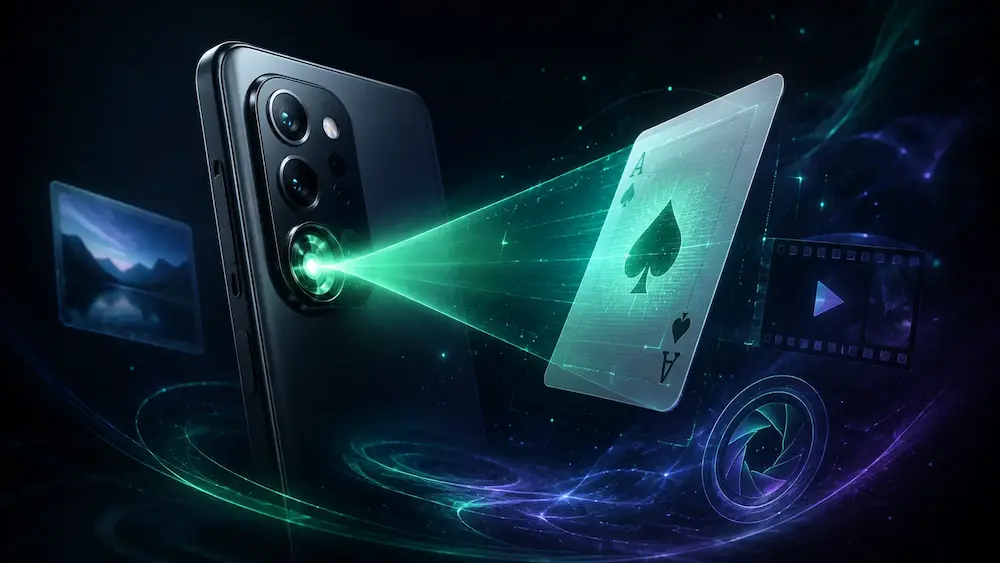
Google officially released Android 17 in June 2026, bringing a new collection of camera, media, performance, and privacy improvements to the Android ecosystem. While many of these changes are designed for professional photography and content-creation apps, they could also open interesting possibilities for developers of magic and mentalism applications.
For magic apps that depend on image recognition, photographic predictions, video playback, camera-triggered effects, or artificial intelligence, Android 17 provides several tools that may help make performances smoother, faster, and more convincing.
Smoother Camera Transitions
One of the most useful additions is the ability to dynamically update an active camera session.
Previously, switching between different camera functions—such as moving from image analysis to taking a photograph or recording a video—could require the app to reconfigure or restart the camera session. This could sometimes create a visible delay, a frozen preview, or a brief black screen.
Android 17 introduces dynamic camera session updates, allowing developers to attach or remove camera output surfaces without completely rebuilding the session. According to Google, this can help eliminate visible glitches when switching between camera modes.
For a normal camera app, this means a more polished experience. For a magic app, it could be much more important.
A method may need to analyse a playing card through the live camera feed, capture an image at the right moment, and then immediately launch a video, prediction, or visual effect. Any pause or unexpected camera transition can attract attention. Smoother transitions help the technology remain invisible, which is essential when the audience should never suspect that the phone is doing anything unusual.
Better Conditions for Image Recognition
Many modern magic applications use the camera to recognise playing cards, drawings, objects, colours, handwritten words, QR-like markers, or specially designed props.
Android 17 adds support for the RAW14 image format, which can capture more image and colour information from compatible camera sensors. Google describes RAW14 as a 14-bit format intended for high-end digital photography.
Not every magic app will need to process RAW images directly. In many cases, standard camera frames remain faster and more practical for real-time recognition. However, access to higher-quality camera data could help specialised applications operating in difficult conditions, such as:
- Recognising a card in low light.
- Distinguishing between very similar printed symbols.
- Analysing subtle colour differences.
- Capturing small handwritten details.
- Creating higher-quality photographic predictions.
The improvement will depend on the device, its camera sensor, and the way the app processes the image. Android 17 does not automatically make every recognition system more accurate, but it gives developers more advanced capture options when accuracy is critical.
Access to Manufacturer-Specific Camera Features
Android 17 also introduces vendor-defined camera extensions. These allow smartphone manufacturers to expose their own specialised camera modes and processing features to third-party applications.
Examples could include super-resolution capture, advanced low-light processing, or AI-assisted image enhancement. Developers can check which extensions are available on a particular device and use them when supported.
This could be particularly useful for magic apps that must detect something quickly without asking the performer to carefully frame the object or improve the lighting. Better manufacturer-level processing could make recognition more reliable in restaurants, theatres, bars, and other performance environments where lighting conditions are rarely ideal.
However, these extensions will vary between manufacturers. A feature available on a Google Pixel may not exist on a Samsung, Xiaomi, or OnePlus device. Magic-app developers will therefore need reliable fallback solutions rather than building an effect around one manufacturer-specific camera mode.
Knowing Which Camera Is Being Used
New Android 17 APIs allow applications to identify whether a camera source is built into the device, connected through USB, or provided by a virtual camera.
This may appear to be a small technical detail, but it could be valuable for certain magic applications.
An app could automatically select the correct physical camera, reject an unsupported virtual source, or adapt its behaviour when an external camera is connected. It could also help prevent unexpected results on devices that expose unusual camera configurations.
For effects requiring precise camera orientation or a specific lens, knowing the real source of the image makes the routine more predictable.
More Consistent Video Quality
Android 17 adds a constant-quality recording mode through the MediaRecorder API. Instead of relying only on a fixed bitrate, developers can ask the encoder to maintain more consistent visual quality throughout a recording.
This could benefit applications that secretly generate or record prediction videos, create instant replays, or combine live footage with prepared visual effects.
For example, a magic app might record a spectator’s action and later reveal a modified or apparently pre-existing version of that moment. Consistent video quality can help avoid sudden compression artefacts that might make the secret section of a video look different from the rest.
Android 17 also adds platform-level support for Versatile Video Coding, also known as VVC or H.266, on devices with compatible hardware and drivers. The format is designed to provide efficient video compression, although its practical availability will depend heavily on individual devices.
A More Integrated Photo Picker
Photographic predictions often rely on the spectator opening a gallery, choosing an image, or discovering a photograph that appears to have been created before the performance.
Android’s privacy-preserving photo picker allows users to share selected photos and videos with an app without granting access to their entire media library. Android 17 expands its visual customisation options, including the possibility of displaying media in a portrait 9:16 grid rather than only traditional square thumbnails.
For magic-app developers, this can help create a photo-selection experience that feels more naturally integrated into the app. It also reduces the need to request broad media permissions, which may make spectators and performers more comfortable when using the application.
The strongest magic experiences are often those that use familiar system behaviour rather than an obviously customised interface. Developers should therefore use these options carefully and avoid making the media picker look unnecessarily suspicious.
Improved Performance for Real-Time Effects
Android 17 includes runtime improvements such as a new lock-free MessageQueue implementation intended to reduce missed frames, as well as generational garbage collection designed to reduce the cost and duration of memory cleanup.
These are general system improvements rather than magic-specific features, but they could help applications performing several operations simultaneously:
- Processing live camera frames.
- Running an image-recognition model.
- Updating animations.
- Playing audio or video.
- Communicating with a connected accessory.
- Preparing a prediction in the background.
In a performance environment, even a brief delay can damage the timing of an effect. A smoother runtime will not fix inefficient code, but it gives well-optimised apps a stronger foundation.
New Requirements for AI and NPU Access
Some recognition-based magic apps use on-device machine learning to identify drawings, cards, objects, or text without sending images to a server.
Android 17 introduces an important requirement for apps that directly access a device’s Neural Processing Unit. Applications targeting Android 17 must declare the neural-processing-unit feature in their manifest when using direct NPU access, including through certain LiteRT delegates or manufacturer-specific SDKs. Without this declaration, NPU access may be blocked.
Developers using standard machine-learning libraries should review how their chosen framework handles this change. An app may continue to function using the CPU or GPU, but performance could be affected if an expected NPU acceleration path is unavailable.
Background Audio Effects Need Attention
Not every Android 17 change gives developers more freedom.
The system now applies stronger restrictions to background audio playback, audio-focus requests, and volume changes. Calls made while an application is not in an appropriate lifecycle state may fail.
This is important for magic apps that use discreet audio instructions, hidden sound signals, voice cues, or effects triggered while another application is visible. Developers must ensure that audio behaviour is intentionally initiated and compatible with Android’s foreground-service and lifecycle requirements.
Existing routines should be tested carefully. A method that worked reliably on Android 16 may behave differently after the device is updated to Android 17.
CameraX Compatibility Is Essential
Google has also updated CameraX and Media3 for Android 17. These libraries simplify reliable camera capture, playback, and media editing across a wide variety of Android devices.
Google specifically warns that developers should update CameraX to version 1.5.2 or 1.6.0 or later to avoid a potential crash related to a new dynamic-range mode on Android 17 devices.
For magic-app developers, this is not simply an opportunity to add new features. It is also an important compatibility update. Camera-based applications should be tested on real Android 17 hardware, not only in an emulator, because camera behaviour can vary considerably between devices and manufacturers.
A Promising Update—But Not Automatic Magic
Android 17 provides developers with better access to camera hardware, smoother transitions between capture modes, more consistent video recording, improved media selection, and stronger support for advanced image processing.
These changes could help produce magic apps that recognise objects more reliably, hide technical transitions more effectively, generate cleaner predictions, and deliver effects with better timing.
However, the operating system cannot replace thoughtful development. Camera extensions remain device-dependent, advanced formats require additional processing, and new privacy or background restrictions may require existing methods to be redesigned.
For developers willing to test carefully and take advantage of the new APIs, Android 17 represents an important step forward. The most successful improvements may not be visible to the spectator at all—and in magic, that is exactly the point.